PICS OF NEW BOAT
Moderators: Redneck_Randy, badmoonrising, lakerunner
PICS OF NEW BOAT
HOW DO YOU POST PICS? I AM COMPUTER DUMB. HELLLLLLLLLLLLLLLLP.
2010 Bennington 2075 GLi with ESP
150 yamaha 4 stroke
2012 tundra tow rig
2006 golf cart shuttle from camp to boat
150 yamaha 4 stroke
2012 tundra tow rig
2006 golf cart shuttle from camp to boat
-
HandymanHerb

- Site Admin
- Posts: 14335
- Joined: Fri Mar 17, 2006 8:57 pm
- Location: Orlando Fla
Re: PICS OF NEW BOAT
I really should save this some where, but the best size to use is 640x480 , so save them on your computer at that size then go down to upload attachment, hit browse then find it on you computer, hit add file and your done.
Now if you need to reduce them use something like photoshack.com it free and resizes while uploading, then you take the link and paste it , highlight it and hit IMG button and your done.
advanage with photo bucket or photo shack you can get to your photo's on any computer and if your computer crashes your pictures are safe.
But use the free service and don't pay 80 bucks a year for it.
Now if you need to reduce them use something like photoshack.com it free and resizes while uploading, then you take the link and paste it , highlight it and hit IMG button and your done.
advanage with photo bucket or photo shack you can get to your photo's on any computer and if your computer crashes your pictures are safe.
But use the free service and don't pay 80 bucks a year for it.
In Memory of John 6x6 Larsen

Re: PICS OF NEW BOAT
First you'll probably need to re-size the photo 800x600 works well.
Next cruse or scroll down and select the "Browse Button Below"
Once you hit the browse button it will open another window in your computer. Select the file "Photo" and click on open.
Now select the "Add the file" found below the "Browse" button and the file will upload to site. If you have more photo's to post select "browse" again and repeat same process over again.
When done uploading the files the files list will be on "Attachments:" on the left, clicking on "place inline" will work and you'll then see the files names in the window here where you type.
If you care to you can then check your photos or posts by selecting "Preview" and make any adjustments before hitting "Submit"
Next cruse or scroll down and select the "Browse Button Below"
Once you hit the browse button it will open another window in your computer. Select the file "Photo" and click on open.
Now select the "Add the file" found below the "Browse" button and the file will upload to site. If you have more photo's to post select "browse" again and repeat same process over again.
When done uploading the files the files list will be on "Attachments:" on the left, clicking on "place inline" will work and you'll then see the files names in the window here where you type.
If you care to you can then check your photos or posts by selecting "Preview" and make any adjustments before hitting "Submit"
Respect Our Recreational Resources
Leaving Only "The Footprints of Your Passing"
Boating the Muskingum River
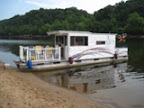
1972 35' Crest Pontoon Houseboat
2007 90 hp. Yamaha
Leaving Only "The Footprints of Your Passing"
Boating the Muskingum River
1972 35' Crest Pontoon Houseboat
2007 90 hp. Yamaha